
How do I download and create an account on the Kinatico Compliance app?
This guide provides swift, simple steps to download and register in the Kinatico Compliance App, ensuring you have secure access to manage your compliance requirements on the go.
What You'll Need:
- An email invitation from an admin in your organisation
- Access to an iOS or Android mobile device
Time Required: 5 minutes
Step-by-Step Instructions
Step 1: Open Your Invitation Email
- Open your email invitation titled 'You've Been Invited to Join [ORG NAME]'
- The email will be addressed from no-reply@kinaticocompliance.com
💡 Pro Tip: Remember to check your Spam or Junk Folder if it is not in your inbox
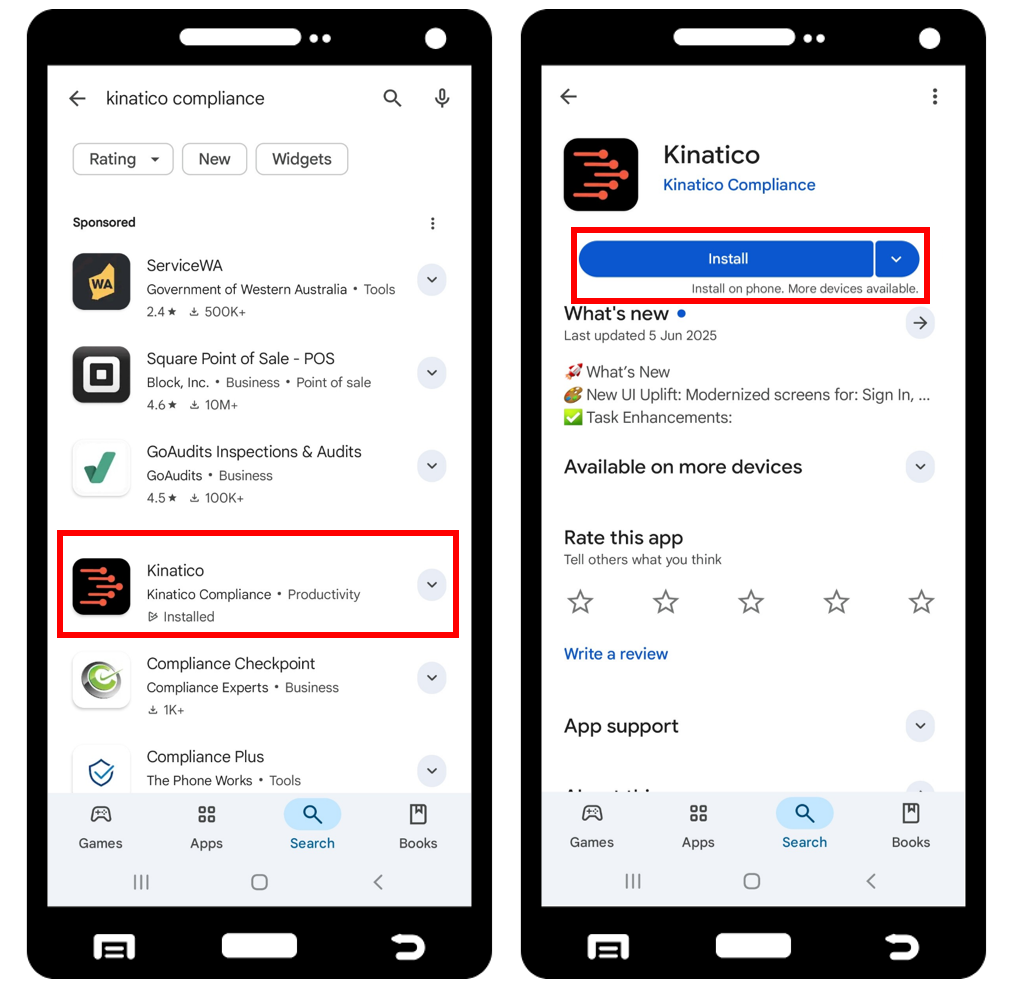
Step 2: Download the Kinatico Compliance App
- Select Get Started on the email invitation to get taken to your phones App Store
- Select Install to download the app
💡 Pro Tip: If the app store says Update rather than Install, you already have the Kinatico Compliance app on your device
💡 Pro Tip: If the Get Start button doesn't work on the email, go directly to your app store and search for Kinatico Compliance
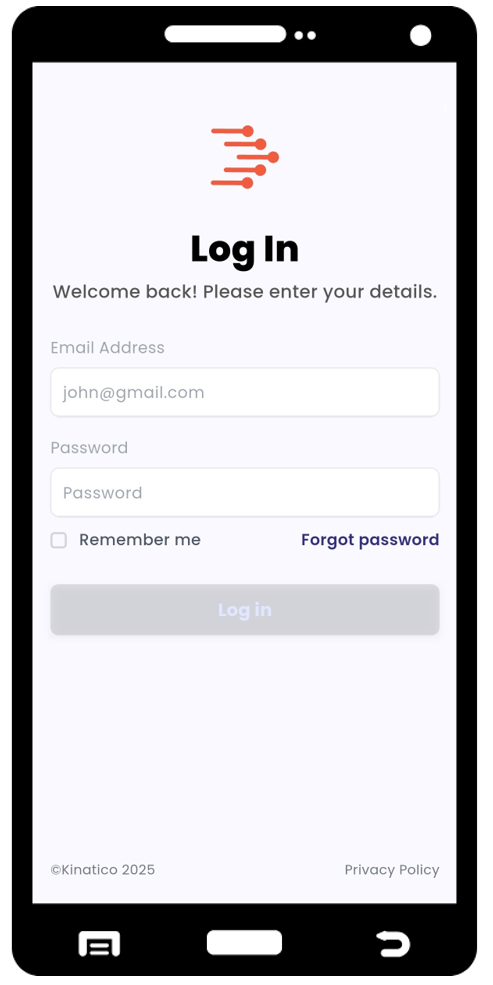
Step 3: Login to Your Kinatico Compliance App for the First Time
- Open the Kinatico Compliance App on your phone
- Enter the email and temporary password from your specific invitation email into the login screen
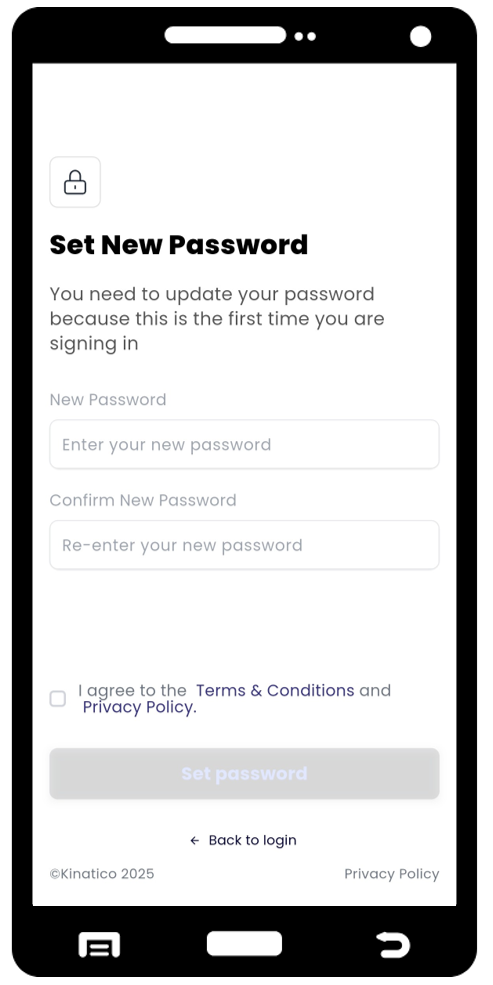
Step 4: Set a New Password
- Input your New Password
- Confirm the New Password again
- Tick the box to agree to the Terms & Conditions and Privacy Policy before proceeding
- Select Set Password
What's Next?
Recommended Actions:
- Complete any activities assigned to you in the app
- Enable push notifications to receive timely reminders about upcoming tasks
- Review your profile information to ensure all details are current and accurate
Common Questions
Q: I can't find the Kinatico app in my app store. What should I do? A: Ensure your device is registered in the Australian or New Zealand App Store. Search for "Kinatico" and look for the app with the orange chevron logo. If you still can't locate it, use the direct app store links in your invitation email.
Q: My temporary password isn't working. How can I access my account? A: Verify you're using the exact password from your invitation email, including correct capitalisation. If you're using copy and paste, make sure you haven't accidentally included a space at the end. If the issue persists, check that you're using the right email address. Contact your administrator if you continue to experience login difficulties.
Q: What happens if I don't receive an invitation email? A: First, check your spam or junk email folders. If the invitation isn't there, contact your organisation's administrator to confirm your email address is correct in the system and request a new invitation to be sent.
Need Additional Help?
Still have questions? Contact us by selecting Settings > Ask for Help from the main navigation, then Email to send us a message. Alternatively, email our support team at cxsupport@kinatico.com.